Markdown input
Since narratty 0.5.
A Markdown doc can be the source of a video, so one file is both read and watched. Paragraphs become the narration, code blocks become what the video types and runs. Plain docs need no extra markup. Comments and code block attributes, both invisible on the rendered page, change what the video does where the defaults don't fit.
This is the recommended way to use narratty. The doc stays the source: readers read
it, others watch or listen to the video. Every command runs while the video is
recorded, and narratty check also compares what the commands print with the doc (see
Checking docs in CI). A doc can be built on its own; a YAML
spec that points at it adds scenes before and after it, or combines several docs.
The video is made from this page; its spec is
examples/markdown/markdown.narratty.yaml.
Quick start
Write the doc as usual. This one says hello in the terminal.
A spec points at the doc with a markdown entry in its scenes. The entry turns into
ordinary scenes, so hand-written scenes can stand before and after it.
narratty compile prints the scenes the doc turns into. The paragraph is the
narration, and the console line is a command that runs.
$ narratty compile hello.narratty.yaml
scenes:
  # from hello.md:5
  - id: hello-1
    narration: Say hello to the terminal.
    actions:
      - run: echo "Hello from Markdown"
      - wait: {prompt: true}
narratty plan --sources lists where each scene comes from, and what was left out
and why.
Build the video like any other spec:
Building a doc on its own
Since narratty 0.6.
Every command that takes a spec also takes a Markdown doc:
narratty build hello.md      # writes hello.mp4
narratty check hello.md      # runs the commands and compares their output
The doc then implies its spec: a single markdown entry for the whole doc. Its
commands run in a copy of the doc's git repository, from the root, or in the doc's
folder outside a repository. A spec comment sets other keys, those of the spec and
those of the markdown entry:
The comment is YAML, invisible on the page like the other comments, and problems in it are reported at their line in the doc. It cannot hold scenes, and a YAML spec that points at the doc ignores it.
Write a YAML spec when the video needs more than the doc: scenes before or after it,
several docs, or several videos from one doc. narratty init --markdown hello.md
writes one to start from.
How a doc becomes scenes
The doc is read in order. Paragraphs collect until a code block runs; then they are the narration of the scene that runs it.
| Markdown | In the video |
|---|---|
| Paragraphs before a code block, same section | The narration of the scene that runs the block |
| Paragraphs after the last block of a section | A scene without actions; the output stays on screen |
| A block without a paragraph before it | A silent scene |
console block |
$ lines run, > lines right after them continue them; other lines are output, not typed, and compared by narratty check |
bash / sh block |
Each complete command runs (heredocs, if, for stay together); # … comments are not typed |
Other language with a title |
Written to that file (hidden), then shown with cat and a file overlay |
Any language with narratty="show" |
Shown as a highlighted code slide while the text around it is spoken; nothing is written or run (since 0.7), see Code shown, not run |
Other language without a title |
Left out |
| Inline code, links, emphasis | Read as plain text, so the lexicon applies to inline code too |
| List items | Read as sentences; a code block in an item runs like any other |
Task list items - [ ], - [x] |
Read without the box (since 0.7) |
Footnotes [^1] |
The marker is not read, the footnote itself not spoken (since 0.7), see Footnotes |
Quotes and GitHub alerts (> [!NOTE]) |
Read like paragraphs, without the [!NOTE] marker; [!WARNING], [!CAUTION] and [!IMPORTANT] start with their type (since 0.7) |
Admonitions !!! and open collapsible blocks ???+ |
Read without their title; warning, caution, danger and important start with their type and title (since 0.7); code blocks inside run as usual |
Collapsed blocks ??? and <details> |
Left out, with everything inside |
Content tabs === "…" |
One tab per tab set, see below |
| An image on a line of its own | Shown as a slide, titled with its alt text, while the text around it is spoken, see Images |
mermaid block |
Drawn as a slide (since 0.6), see Slides |
| Tables | Left out; with a table comment spoken row by row, with a slide comment shown (since 0.6), see Tables |
| Images within text (badges), raw HTML | Left out |
Text after a slide (an image, diagram, code slide or table shown) or after a block
with say: after belongs to it, up to the next block. The paragraph right before the
next block introduces that block instead (since 0.7): it narrates the next command or
slide when it ends with a colon, such as "Pipe it to head:", or when other paragraphs
come before it. A single paragraph without a colon stays with the slide.
Every command waits until the prompt is back, so the next one starts after it has
finished. A command that fails stops the build, as in a YAML spec; mark the block
expect-failure when that is the point (see Code block attributes).
Scene ids are <file stem>-<heading>-<n>, for example install-uv-2; a heading
whose slug is the file stem is left out (install-1, not install-install-1). A
block with an id uses <file stem>-<id>, which survives edits around it.
id_prefix replaces the file stem.
Callouts and tabs
Admonitions are spoken without their title, so a tip reads as part of the text.
Short paragraphs
Keep paragraphs short. Each one is a sentence or two of narration.
Warnings are different: a listener cannot see the box. Since 0.7, warning,
caution, danger and important admonitions and alerts start with their type and,
if given, their title.
Slow first build
The first build downloads the voice.
The video says "Warning: Slow first build. The first build downloads the voice."
admonitions in the entry changes the start per type, with a template of {type},
{title} (the title, else the type) and {body}; admonitions: false reads every
type without a start.
- markdown: docs/install.md
  admonitions:
    tip: "Tip: {body}"          # tips say so too
    warning: "Careful: {body}"  # instead of "Warning: <title>. <body>"
    important: "{body}"         # no start
Collapsed blocks are for readers only. The video leaves them out, with everything inside, including code blocks.
Only on the page
This text and the command below are not part of the video.
This is how both look in the doc.
!!! tip "Short paragraphs"
    Keep paragraphs short. Each one is a sentence or two of narration.

??? note "Only on the page"
    This text and the command below are not part of the video.
Content tabs show one tab in the video: the first, or the first label the entry
lists in tabs. This video picks the bash tab.
Collapsible blocks that start open are spoken like admonitions. HTML details blocks
are left out like collapsed ones.
Footnotes
Since narratty 0.7.
Footnote markers are not read, and the footnotes themselves are not spoken: they are
asides for readers.1 footnotes: inline in the entry speaks each footnote right
after the sentence that refers to it.
With footnotes: inline the video says "The cache is shared between builds. Each
build only adds the scenes that changed."
Images
An image on a line of its own is shown as a slide while the text around it is spoken.
Its alt text is the slide's title (since 0.7); image_titles: false in the entry
leaves titles out, and a slide comment's title replaces it.
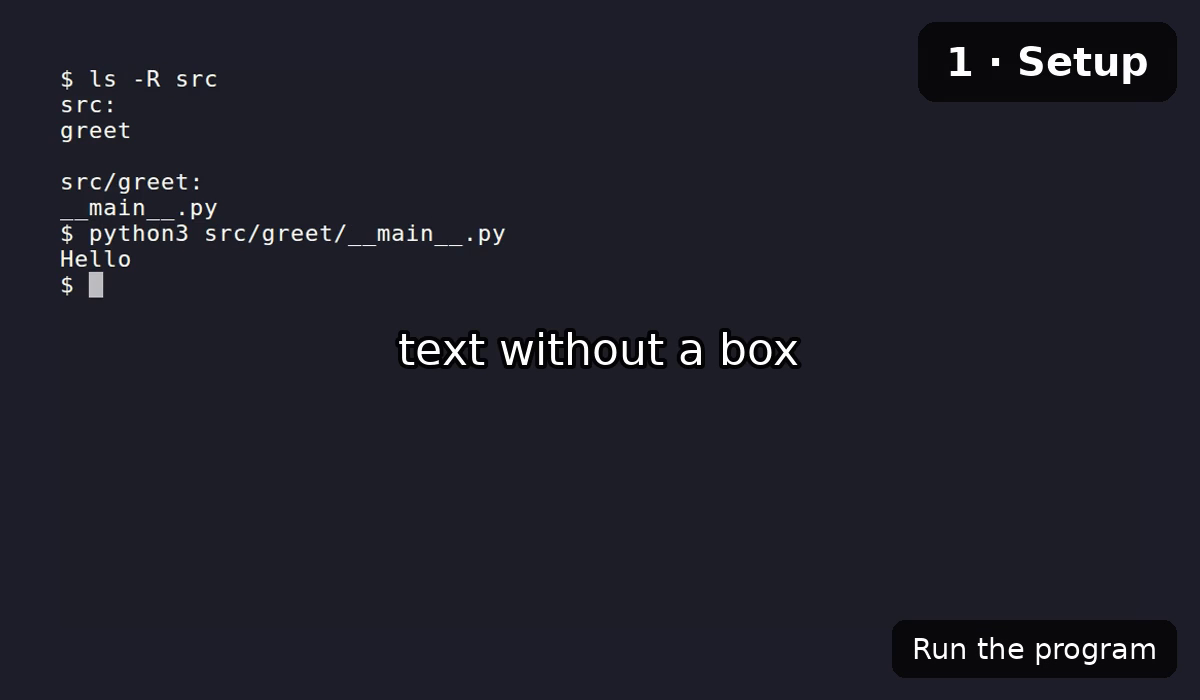
The image stays until the next command or heading, so it never covers what is typed. It is embedded in the spec, which keeps it working in the sandbox without network.
Images within a sentence (such as badges), remote images and formats other than PNG,
JPEG, GIF, SVG and WebP are left out. images: false in the entry leaves out all images, and a
skip comment a single one. A slide comment gives it a title, see Slides.
Tables
Since narratty 0.6.
A table is left out of the video unless a comment stands before it. With a table
comment it is shown as a slide, and its rows are spoken one by one, each highlighted
while it is spoken.
| Step | Command | Shows |
|---|---|---|
| Check | narratty validate |
problems, at the Markdown file and line |
| Preview | narratty plan --sources |
where each scene comes from |
| Build | narratty build |
the finished video |
This is the comment that stands before the table.
<!-- narratty: table {say: "{Step}: {Command} shows {Shows}.", title: From doc to video} -->
| Step | Command | Shows |
For a voiceover that does not read the cells, give say one phrase per row. The
snippet configures the spoken steps; the live table after it is what those steps highlight:
<!-- narratty: table {title: Request path, say: ["The client sends a request.", "The API checks the request.", "The database stores the result."]} -->
| Step | What happens |
|---|---|
| Client | Sends a request to the API |
| API | Checks the request |
| Database | Stores the result |
| Step | What happens |
|---|---|
| Client | Sends a request to the API |
| API | Checks the request |
| Database | Stores the result |
- Without
say, each cell is read with its header, such as "Step: Check.", and empty cells are left out. sayfills in the cells of the columns named in braces; names match the header regardless of case.say: ["First custom narration.", "Second custom narration."]supplies one custom phrase per row; the list must have exactly as many phrases as the table has rows (since 0.7).pause: 500mshighlights each row that long before it is spoken.title,themeandrowsset the look of the slide, as in theslidecomment;holdkeeps it up after its rows, see How long a slide stays.- Cells are read like paragraphs, so the lexicon applies to inline code in them.
- A paragraph right before the comment that ends with a colon, such as "The steps are:", introduces the table: it is spoken with the first row, while the slide is shown (since 0.7). Other paragraphs are spoken before the slide appears.
A slide comment shows a table without reading it, while the text after it is
spoken. rows: 8 splits a long table into pages of 8 rows; each pause comment in
the text after it brings up the next page, and pages left when the text ends follow
for a few seconds each.
<!-- narratty: slide {title: All hazards, rows: 8} -->
| Hazard | Severity | Mitigation |
|---|---|---|
| … |

The first eight hazards concern the machine itself.

<!-- narratty: pause -->

The next ones concern the workplace around it.
Pauses
Since narratty 0.6.
Paragraphs that follow each other are spoken in one go, up to the next code block.
A pause comment ends the scene where it stands, and with a duration silence
follows.
This paragraph comes after a second of silence.
Paragraphs that follow each other are spoken in one go.

<!-- narratty: pause 1s -->

This paragraph comes after a second of silence.
Without a duration, pause only ends the scene; the next one
follows after timing.narration_buffer_ms. A horizontal rule (---) does not end a
scene. While a table with pages is shown, a pause brings up its next page.
Slides
Since narratty 0.6.
Tables, mermaid blocks and images become slides: shown full
screen while the text around them is spoken, dark unless the spec sets
slides: {theme: light}. GitHub draws mermaid blocks too, and so does mkdocs with
the mermaid custom fence of pymdownx.superfences.
flowchart LR
  doc[Markdown doc] --> entry[markdown entry] --> scenes --> video
A slide comment before a table, diagram or image sets its title and look; focus
emphasizes a Mermaid node or subgraph while the scene is narrated.
| Key | Does |
|---|---|
title |
Text above the content |
theme |
dark or light for this slide |
rows |
Table rows per page, see Tables |
focus |
Mermaid node or subgraph ID to emphasize (since 0.7) |
hold |
Keeps the slide up for the text after it: next-block or next-heading (since 0.7), see How long a slide stays |
html |
Shows an HTML file instead, from the next paragraph on |
For a voiceover walkthrough in Markdown, write the Mermaid diagram once, then use a
focus comment for each later step. The comment closes the previous narration scene
without adding silence. Here is the source snippet:
<!-- narratty: slide {title: Request flow, focus: api} -->
```mermaid
flowchart LR
  api[API] --> db[Database]
```
The API receives the request.

<!-- narratty: focus db -->
The database stores it.
And here is the same Markdown as live content, which renders the diagram:
flowchart LR
  api[API] --> db[Database]
The database stores it.
The focus comment (since 0.7) closes the previous narration scene and reuses the last
Mermaid diagram with a new focus target. It takes one node or subgraph ID from the
diagram source, such as db or api-gateway. The diagram must still be on screen: a
heading, table, image, browser view or command block in between ends it. With
narration: none and no say text before it, or with images: false, the comment is
left out like the diagram. In YAML, repeat the slide action in one scene per focus
ID instead. A node stays emphasized for its scene's narration unless duration_ms caps
the slide. In a sequence diagram, focus takes a participant's ID, such as C for
participant C as Client, and emphasizes both of its boxes (since 0.7).
Mermaid labels can use Unicode emoji; the narratty image includes an emoji font. Its
bundled Font Awesome 6 Solid icons use the fa: prefix, for example fa:server in
Mermaid's icon syntax. Native renders can set NARRATTY_FONTAWESOME_JSON to an
Iconify-compatible Font Awesome icons.json file. The bundled icons are Font Awesome
Free by Fonticons, Inc., licensed under
CC BY 4.0.
Diagrams are drawn when the video is rendered, with the mermaid.min.js that comes
with the narratty image, so they need no network. Native renders read it from
NARRATTY_MERMAID_JS or from the data directory; narratty doctor shows where.
images: false leaves out diagrams too.
How long a slide stays
A slide is shown while the text around it is spoken, up to the next block, heading or
pause comment; a scene after that shows the terminal again. hold keeps the slide
up for more of the text after it (since 0.7):
hold |
The slide stays for the text after it, up to |
|---|---|
| unset | the end of its scene |
next-block |
the next command or file block, slide, browser view or heading; pause comments in between keep it |
next-heading |
the next heading, slide or browser view; it gives way to commands while they run and comes back for the text after them |
A table comment takes hold too: the table stays, without a highlighted row, for
the text after its rows. In YAML, repeat the slide action in each scene instead.
A slide made in HTML is named with html, relative to the doc:
Like an image, the page is embedded in the spec, so it must be self-contained:
styles inline, images inline as SVG or data: URLs.
Code shown, not run
Since narratty 0.7.
A block marked narratty="show" is shown as a syntax-highlighted slide while the
text around it is spoken, like an image. Nothing is written or run, so it suits an
API response or a config excerpt that is not a file in the project:
The health endpoint answers with the version:
This is its source:
show works with any language, also console (then nothing runs). A title becomes
the slide title, and a slide comment before the block sets its title and theme.
Prose slides
Since narratty 0.8.
By default, text that no command or slide comes with leaves the terminal on screen as
it is. A doc with more explanation than commands then shows an unchanged terminal for
most of its video. With prose: slides that text shows slides made from the doc
itself, with no extra markup:
- Paragraphs show the list of their key points, titled with the section heading; the point of the paragraph being spoken is marked, the others are dimmed. Each paragraph is its own scene, so the slide changes with the narration.
- Lists show their items as written, one marked at a time. A paragraph ending with a colon right before the list shows the list already, nothing marked yet.
- Code blocks without a title in a language that does not run (
yaml,json, …) are shown as code slides, as if markedshow.
Which text gets slides:
- the text after the last block of a section;
- the text before a command block or a slide, except the paragraph right before it, which introduces it and is spoken with it (a list right before it is no introduction and gets its slide too); only when that text has 15 words or more, so a line such as "Since 0.8." stays with the block;
- the text after a slide, except its first paragraph, which stays with the slide.
A text with fewer than four words gets no key point; it is spoken with the next one. Text that a held slide or a browser view covers keeps it.
A paragraph's key point is its first sentence, without parentheses. When that is longer than 75 characters, it is cut at the first comma, semicolon or colon after 25 characters; inline code is never split.
| Paragraph | Key point |
|---|---|
| The doc is read in order. Paragraphs collect until a block runs. | The doc is read in order |
| Every command waits until the prompt is back, so the next one starts after it has finished. | Every command waits until the prompt is back |
narratty plan --sources lists the key point of each paragraph. When one does not
say much, rewrite the sentence: a first sentence that makes a weak key point usually
reads weakly on the page, too.
Doc comments
HTML comments are invisible on the docs site and on GitHub. Those starting with
narratty: hold what only the video needs:
<!-- narratty: skip -->
This paragraph is only for readers.
<!-- narratty: say
Narration only the video has. It may span lines.
-->
<!-- narratty: overlay {text: compose.yaml, style: file} -->
<!-- narratty: hidden
git init demo && cd demo
-->
<!-- narratty: browser {scroll: auto, duration_ms: 6s} -->
The [Compose file reference](https://docs.docker.com/compose/) lists every key.
<!-- narratty: pause 800ms -->
<!-- narratty: table {say: "{Hazard}: {Mitigation}"} -->
| Hazard | Mitigation |
<!-- narratty: slide {title: Architecture} -->

| Comment | Does |
|---|---|
skip |
Leaves the next paragraph or block out of the video; before a heading, its overlay |
skip-rest |
Leaves the rest of the section out, up to the next heading of the same or a higher level (since 0.7) |
say |
Adds narration where it stands; skip plus say replaces a paragraph |
overlay |
Shows an overlay in the next scene; takes the same value as the action, and text with a colon such as not run: in this video stays text (since 0.7) |
hidden |
Runs setup commands in the recorded shell without showing them |
browser |
Opens a link of the next paragraph in a browser view, see Opening links |
pause |
Ends the scene; with a duration, silence follows (since 0.6), see Pauses |
table |
Speaks the next table row by row on a slide (since 0.6), see Tables |
slide |
Sets the title and look of the next table, diagram or image, or shows an HTML file (since 0.6), see Slides |
focus |
Reuses the last Mermaid diagram, emphasizing the given node or subgraph for the next narrated step (since 0.7), see Slides |
clear |
Clears the screen (since 0.7), see Clearing the screen |
run |
How the next shell or console block runs: narration order, a substitute command, output lines, stopping it (since 0.7), see Running commands |
spec |
Spec keys for building the doc on its own (since 0.6), see Building a doc on its own |
HTML comments cannot contain --; put such text into a YAML scene instead.
Opening links
Links are read as plain text. A browser comment opens one of them in a
browser view while its paragraph is spoken:
<!-- narratty: browser {scroll: auto, duration_ms: 6s} -->
The [Compose file reference](https://docs.docker.com/compose/) lists every key.
- Without
linkit opens the first link of the next paragraph;link: 2opens the second,link: "Compose file reference"the one with that text. A URL instead of the mapping,<!-- narratty: browser https://example.com -->, opens that page. - The other keys are those of the browser action:
scroll,duration_msandload_ms. - The paragraph starts a new scene, so the page appears with it. Like an image, the page stays until the next command or heading at the latest.
- A relative link to another page of the docs (
../user-guide/spec.md#overlays) opens the published page:site_urlfrommkdocs.ymlplus the page's path. - Web pages need network access: in the container that is
sandbox: {network: full}or an allowlist.
Code block attributes
An id and per-block options go into one attribute list after the language. mkdocs
uses the id as a link anchor and ignores narratty; GitHub ignores both.
```console {#install narratty="no-run"}
$ uv tool install narratty
```

```yaml {#spec title="demo.narratty.yaml"}
scenes: []
```
narratty="…" takes space-separated options:
| Option | Does |
|---|---|
no-run |
Types the command and leaves it on screen without running it; before 0.7 it was cancelled with a visible ^C |
hidden |
Runs the block without showing it (setup) |
expect-failure |
The block's commands are expected to fail |
any-output |
The output the block shows is not compared (since 0.6), see Checking docs in CI |
show |
Shows the block as a code slide instead, see Code shown, not run (since 0.7) |
say=…, instead=…, lines=…, until=…, then=…, timeout=… |
The keys of the run comment (since 0.7), see Running commands |
Write attributes in braces
mkdocs renders console narratty="no-run" (without braces) as plain text. A
brace-less title="…" works on its own, but not together with an id.
Running commands
Since narratty 0.7.
A run comment right before a shell or console block says how the video runs it.
The block stays what readers copy.
The same keys fit in the block's attributes as key=value, quoted like in the shell
when the value has spaces. Where both are given, the attribute wins.
| Key | Does |
|---|---|
say |
When the text is spoken: before, during (default) or after the commands, see Explain, then run |
instead |
Shows the block's command, runs this one, see Show one command, run another |
lines |
Shows only that many lines of each command's output, see Long output |
until |
Waits for this regular expression on screen, then stops the last command, see Commands that keep running |
then |
The key that stops it: C-c (default) or a key such as q |
timeout |
How long until waits (default 30s) |
Explain, then run
say |
The video | Narration |
|---|---|---|
during (default) |
Speaks while the commands are typed and run | The text before the block |
before |
Speaks first, then types the commands | The text before the block |
after |
Runs the commands, then speaks, in the same scene | The text after the block, up to the next block's lead-in, heading or pause; the text before it is spoken on its own first |
say: before on the markdown entry makes it the default for every block; a run
comment with say: during changes it back for one. In YAML, before is a hold: auto
before the first action and after is narration_start: after_actions.
The video printed the greeting before this paragraph was spoken.
Show one command, run another
instead shows the reader's command and runs another one in its place: the reader's
pip install tally can stay in the doc while the video installs from the checkout.
- The block's command is typed, then replaced unseen, and the screen shows it with the
output of the command that ran. No
^Cand no second command appear. - The block must have one command, and
insteadmust fit on one line. The block's command may contain placeholders such as<package>, since it does not run. narratty checkruns theinsteadcommand and does not compare its output with the output the block shows, which belongs to the reader's command.- A
no-runblock runs nothing in its place: its command is typed and stays on screen, followed by a fresh prompt, so it can look as if it ran without output. To say so in the video, add anoverlaycomment, such as<!-- narratty: overlay not run: in this video -->, or say it in the text.
Long output
lines: 10 shows the first ten lines of each command's output and ends it with
... (N more lines). The block keeps the output readers see, ... included:
narratty checkruns the command as it is and compares all of its output with the block.- In the video the output goes through
awk. The command then writes to a pipe instead of a terminal, so programs that colour their output only in a terminal print it plain, and stderr is merged into stdout. Commands must fit on one line.
Commands that keep running
until waits for a pattern in the output, then stops the block's last command, by
default with Ctrl+C, and waits for the prompt. Servers and tail -f stay in the doc as
readers type them.
<!-- narratty: run {until: "Serving HTTP", timeout: 20s} -->
```console
$ python -m http.server 8000
Serving HTTP on 0.0.0.0 port 8000 (http://0.0.0.0:8000/) ...
...
```
- The pattern is a regular expression, matched against the whole screen, so pick one the screen does not show before the command prints it.
then: qstops a pager with a key instead; keys are those of thekeyaction,C-…is a Ctrl chord.narratty checkwaits and stops the command the same way. The exit code of a command stopped with Ctrl+C does not count as a failure. Its output ends with what the command prints when stopped, so end the block's output with....
Clearing the screen
Since narratty 0.7.
The screen keeps what earlier commands printed. A clear comment clears it where it
stands, so the text after it does not play over old output:
clear_on: 2 on the markdown entry clears it where each heading of level 2 or
higher starts a section. The screen is cleared when the next visible scene starts,
together with its heading overlay, also after a hidden block.
Headings before the first visible scene, such as the doc's title, clear nothing.
Clearing presses Ctrl+L, which runs no command, so exit codes are checked as before;
shell: sh has no line editing and cannot clear this way.
Placeholders
Write placeholders as environment variables, which readers can set and copy:
The video types $SPEC as written, so values, including secrets, never appear on
screen. The value comes from sandbox.env, from
sandbox.env_passthrough (you set it on the host) or from a hidden comment with an
export. A command to run that still contains a placeholder like <url> is an
error with the hint to write it as $URL.
Secrets belong in sandbox.env_passthrough: the value stays in your environment and
is never written anywhere. A hidden comment's commands are part of the spec, so they
travel with it: narratty keeps them out of error messages and out of exits.log
(which records <hidden: scene #n> instead), and removes the compiled spec it mounts
into the container after the run, but a kept --work-dir still holds them in its
tape. Use a hidden export only for values that are not secret.
The markdown entry
A YAML spec decides everything at section level and above: which docs, which sections and in what order, the narration rule and the overlays. Several videos from one doc are several YAML files.
narration: all                      # default for every markdown entry
scenes:
  - markdown: docs/environments.md
    sections: [images, compose]     # nested headings included; unset = whole doc
    heading_overlays: 3
  - id: outro
    narration: That's all you need to get started.
  - markdown: docs/building.md
    narration: none                 # only `say` comments are spoken
    heading_overlays: {levels: 3, breadcrumb: true}
    defaults: {typing_speed_ms: 40}
    overrides:
      install:                      # the block {#install}
        narration: Install it with uv.
        fast: true
        before: [{overlay: "pipx works too"}]
| Key | Default | Meaning |
|---|---|---|
markdown |
required | The doc, relative to the spec |
sections |
whole doc | Headings by TOC slug or title; a list path such as [compose, services] picks one of several equal headings; {include: [...], exclude: [...]} also leaves sections out (since 0.7), see Choosing sections |
narration |
spec's narration (all) |
all speaks every paragraph, none only say comments |
tabs |
[] |
Preferred content tab labels; otherwise each tab set's first tab |
heading_overlays |
none | Show headings down to this level, see Heading overlays |
file_titles |
true |
Show a file block's title as an overlay |
images |
true |
Show images on a line of their own and mermaid blocks, see Images |
id_prefix |
file stem | Start of the generated scene ids |
clear_on |
none | Clear the screen where a heading of this level or higher starts a section (since 0.7), see Clearing the screen |
prose |
terminal |
slides shows the key points of text that no command or slide comes with, and lists as bullet slides (since 0.8), see Prose slides |
say |
during |
When the text before a block is spoken: before its commands are typed, or during them (since 0.7), see Explain, then run |
check_output |
true |
Let narratty check compare the output console blocks show, see Checking docs in CI (since 0.6) |
footnotes |
skip |
inline speaks each footnote after the sentence that refers to it, see Footnotes (since 0.7) |
admonitions |
{} |
Per type, how admonitions and alerts start, or false, see Callouts and tabs (since 0.7) |
image_titles |
true |
Use an image's alt text as its slide title, see Images (since 0.7) |
lint |
true |
Let narratty validate warn about the doc, see Checking the result (since 0.7) |
defaults |
{} |
Scene keys for every scene: typing_speed_ms, pause_ms, fast, timelapse, narration_start, expect_exit |
overrides |
{} |
Per block id: the same scene keys plus narration and before / after action lists |
A missing section or an override for an id that is not in the doc is an error with a "did you mean".
Choosing sections
A list of sections picks them, in that order, with their nested headings. To leave out a section but keep the rest, intro included, exclude it (since 0.7):
- markdown: CONTRIBUTING.md
  sections: {exclude: [faq, troubleshooting]}
- markdown: docs/guide.md
  sections: {include: [install, usage], exclude: [windows]}  # usage without its windows part
Inside the doc, a <!-- narratty: skip-rest --> comment leaves out the rest of its
section, up to the next heading of the same or a higher level. Transitions between docs are ordinary scenes, for example a hidden
run: cd other && clear and a scene with an overlay.
Heading overlays
heading_overlays: N shows the headings down to level N, each level in its own
built-in style: heading-1 is a title card in the centre, deeper levels appear at the
top right and fade after a few seconds. {levels: N, breadcrumb: true} shows levels 2
to N as one overlay instead, Environments › Compose › Services, which stays while
its section plays. Long breadcrumbs shorten their middle parts to … first
(max_length, default 50); separator changes the ›.
| Style | position |
size |
bold |
duration_ms |
|---|---|---|---|---|
heading-1 |
center |
large |
yes | 2.5s; while the doc's intro is spoken, until it ends (since 0.7) |
heading-2 |
top-right |
large |
yes | 3s |
heading-3 |
top-right |
medium |
no | 3s |
heading-4 and deeper |
top-right |
small |
no | 2.5s |
breadcrumb |
top-right |
small |
no | until the section ends |
file |
top |
small |
no | until the scene ends |
The title card stays while the text before the first block is spoken, so the intro
does not play over an empty prompt; a duration_ms for heading-1 in
overlay_styles applies instead. Change them like any style in overlay_styles.
With slides.frame: true (since 0.8) all of them take the frame
style instead: the heading stands in a band at the top of the video, at the size of a
slide title, until the next heading, over the terminal and over slides alike. Prose
slides then leave out the title the band already shows.
Snippets and mkdocs
The doc is read the way this repo's mkdocs config renders it: admonitions,
collapsible blocks and content tabs (pymdownx.tabbed) as described on this page, and
--8<-- "path" snippets (with an optional :start:end line range) inserted before
reading, relative to the snippets base_path in the nearest mkdocs.yml, else the
repository root. Errors in an inserted snippet name the snippet file and line.
Headings with an id (## Title {#custom}) are selected by that id.
Block snippets (--8<-- on a line of its own), URL snippets and named snippet
sections are not supported and are reported as errors.
Checking the result
narratty validate reports problems at the Markdown file and line. Since 0.7 it also
warns, on stderr and without failing, about what expands fine but is likely not what
the author meant:
| Warning | Fix |
|---|---|
| No command runs in the video | Label command blocks console (with $ prompts), bash or sh |
A left-out block has $ lines |
Label it console, or mark it narratty="show" |
Code blocks in a language such as python or yaml are left out (one warning for all) |
Mark one narratty="show" to show it, give it a title to write it to that file, or skip it |
| A table is left out | A table or slide comment, or skip to leave it out on purpose |
Output shown looks like an error (error:, Error: …, ERROR …, fatal:, a Python traceback) |
Mark the block expect-failure if the command is meant to fail |
A command ends in & without redirecting its output |
Its late output lands in later commands; write cmd > server.log 2>&1 & |
A focus ID is not in the diagram (flowcharts and sequence diagrams) |
Use an ID from the source; the warning suggests the closest, and a participant's id for its as label |
| Narration says "above", "below", "click here" or "the following command" (each one) | Reword it so it works when heard, such as "next" or "this command"; "below it" and "above the line" are fine |
lint: false on the entry, or in the doc's spec comment, turns the warnings off.
narratty plan --sources SPEC lists every scene with the Markdown line it comes from,
and what was left out and why. narratty compile SPEC prints the spec with every
markdown entry replaced by its scenes: a way out of Markdown input, or a frozen copy
to build from.
Sandboxed runs only mount the spec file into the container, so they get the expanded spec; the Markdown docs stay on the host.
Checking docs in CI
Since narratty 0.6.
narratty check runs the doc's commands the way the video would, without recording,
voice or end card. It fails when a command fails (exit code 7) or prints something
else than the doc shows (exit code 8), with a diff:
In a console block, the lines after a $ command, up to the next one, are what it
prints:
- Colours, trailing spaces and blank lines at the start and end do not count.
- A line
...stands for any lines, also none;...within a line for any text, as inPython 3.... - A command without output lines in the doc runs, but its output is not compared.
narratty="any-output"on a block, orcheck_output: falseon the entry, turns the comparison off.- Builds check exit codes, but do not compare output.
- The summary counts
no-runcommands apart, as shown only. When no command ran,checkwarns, since it checked nothing (since 0.7).
The comparison is the run action's expect_output, which
narratty compile shows. narratty compile SPEC --fingerprint tells when a
committed video is older than its doc.
Not supported yet
- Comparing output in the editor layout.
- Narration rules beyond
allandnone.
-
Like this one, which the video leaves out. ↩